
Customer Relationship Management (CRM)#
We use HubSpot as our Source of Truth for tracking Contacts, Organizations, Deals and the relationships that drive each of them through sales.
See our Guide to the HubSpot CRM.
Note
We used to use AirTable for this, here’s a link to our old CRM in AirTable. We’ll deprecate that in the coming months.
Send e-mails via HubSpot#
HubSpot is configured to send e-mails from our @2i2c.org domain, so you can use it to e-mail consortia, groups of communities, or our community representatives.
We track consortia and other subsets of contacts as Segments. To send an e-mail to a segment:
Click a segment.
Click Use in.
Click E-mail.
Alternatively, copy a previous e-mail under Marketing -> E-mail and update its content.
When sending an e-mail, set the from address to hello@2i2c.org unless you have a reason to send from your personal 2i2c address.
This keeps a consistent sender identity across our outbound communications and lets replies land in a shared inbox.
Warning
These e-mails go out from our root @2i2c.org domain, so spam complaints damage the deliverability and reputation of all of 2i2c’s e-mail, including support and sales.
Only use this to reach people who already know us and expect to hear from us, such as community representatives and consortium contacts.
Do not use it for mass marketing or cold outreach to people who haven’t opted in.
How to log into the HubSpot admin account#
We have an admin account that gives the whole team edit access to our HubSpot data. The easiest way to sign in is with a passkey stored in our team Bitwarden.
Go to the HubSpot Account page.
Username:
admin@2i2c.orgChoose
Sign in with a passkeyand select the 2i2c Admin passkey from Bitwarden.
Fallback: username, password, and 2FA#
If the passkey isn’t available, you can sign in with the username and password instead:
Go to the HubSpot Account page.
U:
2i2c Admin. P:See bitwarden.You’ll see a 2FA prompt like this:
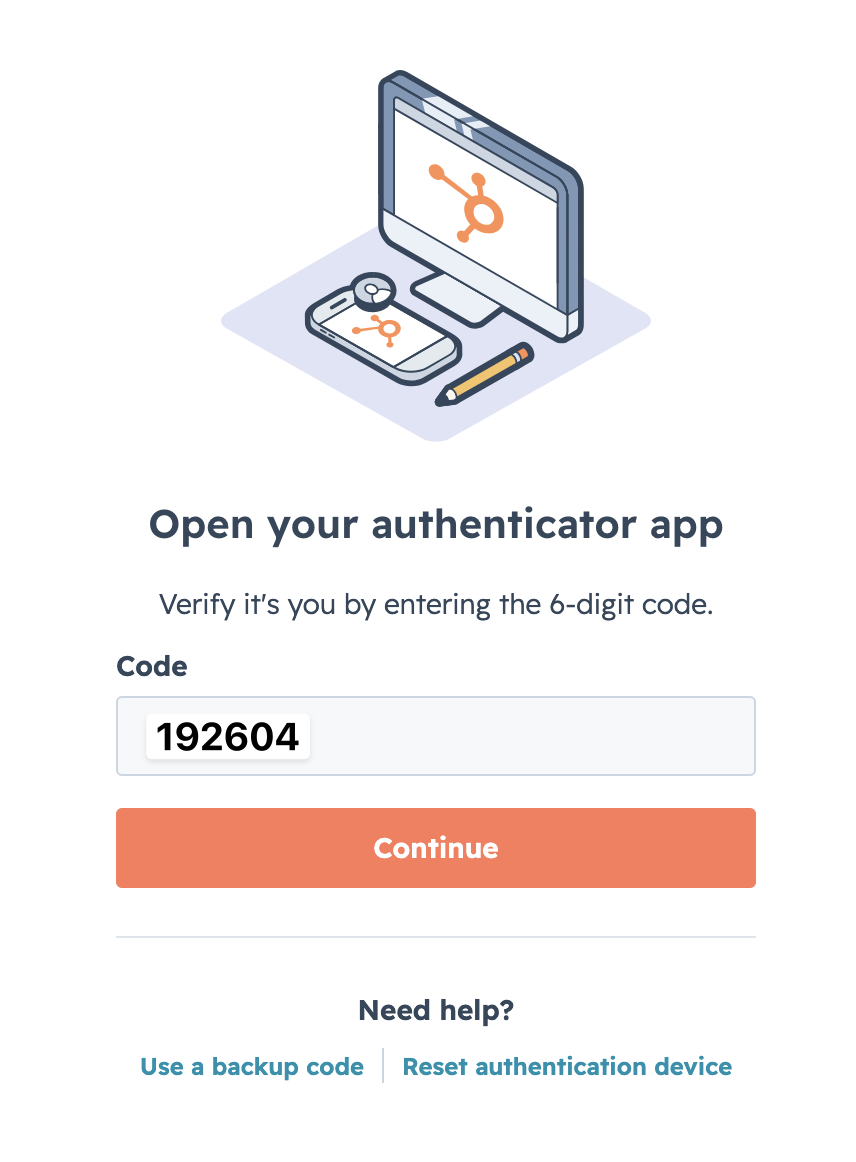
Use the team Bitwarden to find the 2FA credentials:
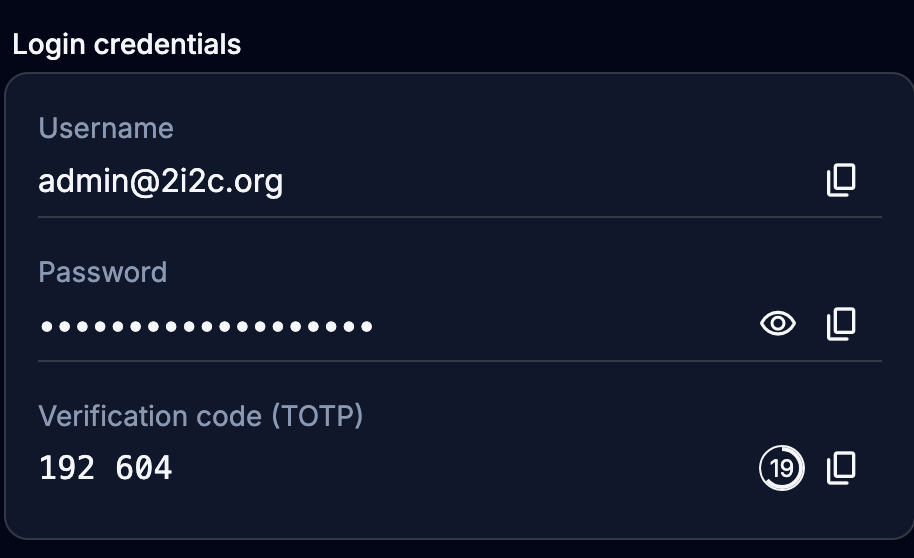
Click
Skip for nowwhen prompted to improve the 2FA.